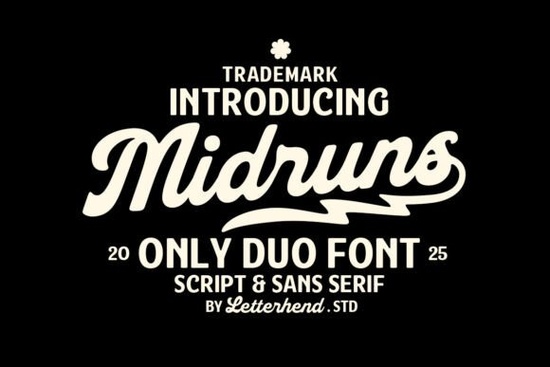
If you need a typeface that balances hand-drawn energy with clean readability, Midruns Font delivers exactly that. This dynamic duo pairs a bold, flowing script with a straightforward sans-serif, giving designers, crafters, and print-on-demand sellers two complementary styles in a single download. Small business owners often struggle to find lettering that feels both retro and current, but this combination solves that problem by letting the script carry the personality while the sans-serif handles the heavy lifting for smaller details.
What makes this typeface pair work so well together?
The secret lies in controlled contrast. When you mix a heavy, curved script with a neutral sans-serif, you create instant visual hierarchy without adding extra graphics. The script side brings smooth loops and a vintage roadside aesthetic, which catches the eye on posters or apparel. The matching sans-serif strips away the flourishes, leaving a sturdy foundation for contact information, taglines, or product descriptions. Instead of hunting through separate font families and guessing whether they clash, you get a pre-matched set that shares similar proportions and weight balance. This saves time during the layout phase and keeps your branding consistent across different materials.
Where should you actually use a bold script and clean sans combo?
Not every project needs decorative lettering, but certain formats thrive on it. Here is where this duo fits naturally:
- Print-on-demand apparel: The script works beautifully for chest graphics or back prints, while the sans-serif handles care labels and size tags.
- Small business packaging: Use the curly style for your brand name on boxes or stickers, and pair it with the clean style for ingredients or shipping addresses.
- Social media templates: Quote graphics and sale announcements pop when the headline carries movement and the supporting text stays legible on mobile screens.
- Event signage and menus: The retro vibe suits coffee shops, bakeries, and craft fairs where you want a welcoming, handmade feel without sacrificing readability.
If you enjoy experimenting with different lettering styles, you might also want to browse our notes on how this particular family handles kerning or compare it with other decorative options. Some makers prefer the woven look you will find when exploring traditional knot-inspired lettering like Celtic Stitches Font, while others lean toward the playful curves discussed in our breakdown of theme park style typefaces such as Disney Font. Each serves a different mood, but the principle of pairing a strong display face with a quiet workhorse remains the same.
How do you format these letters without cluttering your layout?
Bold scripts can easily overwhelm a design if you treat them like body copy. Keep the decorative style reserved for headlines, short phrases, or single words. Increase the tracking slightly on the sans-serif companion to create breathing room, and always test your composition at actual print size. Screen previews often hide tight spots where loops collide or thin strokes disappear. When working with dark backgrounds, consider outlining the script or switching to a lighter weight if the file includes one. You can also underline key terms in the sans-serif section to draw attention without adding extra graphical elements. For more pairing ideas, our thoughts on balancing expressive strokes with neutral text might help you refine your hierarchy, and the spacing tips covered in our guide to geometric sans companions like Quicksand Font translate well to this duo too. If you prefer something with more hand-lettered texture, Expression Font offers a different approach to casual branding.
What should you verify before using a new typeface for client or shop work?
Licensing and file compatibility matter just as much as aesthetics. Always check whether the download includes a commercial license that covers your intended use, especially if you plan to sell physical products or digital templates. Look for standard OTF and TTF files, which install smoothly on Windows and Mac systems and work inside Canva, Illustrator, Photoshop, and Cricut Design Space. If you plan to cut vinyl or heat transfer material, run a quick test cut to see how the script’s thin connectors handle your blade settings. Some intricate curves may need manual welding or a slight offset to prevent tearing. Keep a backup of the original font files in a dedicated folder, and note the version number in case you need to reinstall or share the asset with a team member later.
Before you start your next layout, run through this quick prep list:
- Install both the script and sans-serif files and restart your design software.
- Type out your full brand name and tagline to check for missing glyphs or awkward ligatures.
- Print a small test sheet at 100% scale to verify stroke thickness and spacing.
- Confirm the commercial license covers your specific product type and sales channel.
- Save a master template with your chosen color palette and text hierarchy for future projects.
Pick a simple mockup, apply the duo, and adjust the spacing until the letters breathe. Once the layout feels balanced, you are ready to export and put your design to work.
Download Now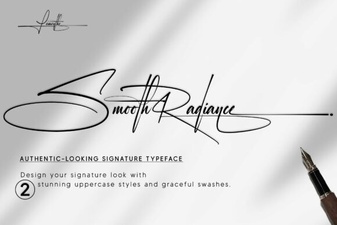 Smooth Radiance Font: a Designer's Typography Toolkit
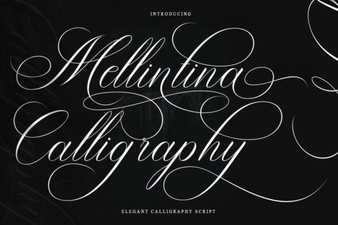 Melintina Calligraphy Font: Design Ideas & Uses
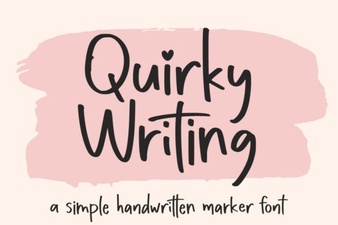 Unlock Creativity with Unique Handwriting Fonts
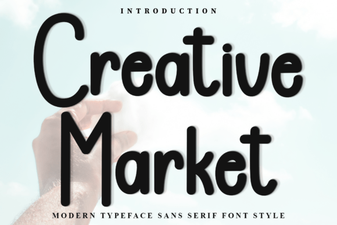 Discover Fonts for Creative Design Projects
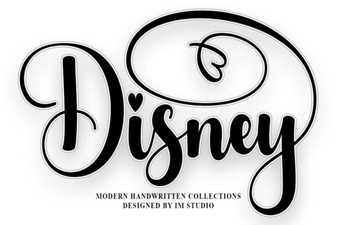 Explore Disney Fonts for Your Creative Projects
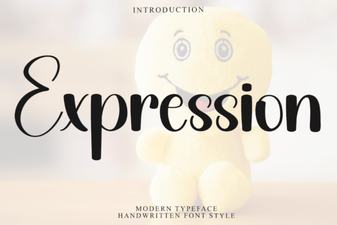 Express Your Message with Creative Fonts