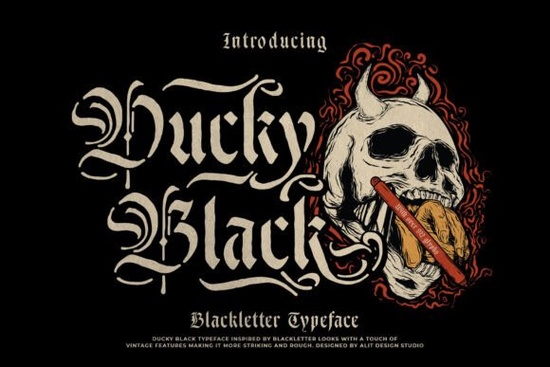
If you need a typeface that balances old-world gothic character with clean, modern usability, Ducky Black Font delivers exactly that. It combines traditional blackletter letterforms with practical stencil cutouts, giving you a bold, industrial look without sacrificing readability. Designers, print-on-demand sellers, and small business owners often struggle to find gothic fonts that work well on merchandise and packaging. This one solves that problem by keeping the dramatic strokes intact while adding strategic gaps that prevent ink bleed and screen-printing issues.
What makes this blackletter typeface different from standard gothic fonts?
Most vintage blackletter typefaces lean heavily into dense, ornate details that can quickly become unreadable at smaller sizes. This design takes a different approach. The stencil-inspired breaks in each letterform create natural breathing room, which helps the text stay sharp on both digital screens and physical prints. You still get the sharp edges and heavy contrast that define the genre, but the negative space keeps everything clean. If you regularly browse collections of gothic and stencil lettering, you will notice how the balanced weight makes it easier to use across different mediums without losing the historic feel.
Which projects work best with a stencil blackletter design?
The heavy structure and intentional cutouts make this typeface a reliable choice for projects that need strong visual impact. It works particularly well when you want a rugged or vintage aesthetic without looking overly decorative. Consider using it for:
- Apparel and streetwear branding where bold typography needs to survive screen printing and heat transfers
- Product packaging and labels that require a hand-stamped, workshop appearance
- Poster art and event signage that benefit from high-contrast lettering
- Tattoo flash sheets and studio logos that rely on clean, repeatable line work
Print-on-demand sellers will appreciate how the stencil gaps reduce ink saturation, which helps prevent cracking on fabric. If you are building a darker brand identity, you might also want to compare it with other heavy styles like alternative gothic typefaces to see which weight fits your layout best.
How do I pair and format this font for clear readability?
Blackletter fonts demand careful spacing and thoughtful pairing. Because the letterforms are already visually heavy, you should increase your tracking slightly when setting headlines. This prevents the characters from merging together, especially when printing on textured paper or dark garments. Keep your body text in a simple sans-serif or clean serif font to maintain contrast. Avoid using all caps for long sentences, as the uniform height can make the stencil cuts feel repetitive. When you test your layout, print a small sample at the actual size you plan to use. Many designers find that Ducky Black Font performs best when given plenty of margin space and a solid background color.
What should I check before downloading and using it commercially?
Before adding any typeface to a client project or online store, verify the included file formats and licensing terms. Look for OTF and TTF files, which cover most design software and cutting machines. If you plan to sell physical products, confirm that the commercial license covers print-on-demand fulfillment and small-batch manufacturing. Test the font in your preferred software first. Type out your actual brand name, check how the stencil gaps align, and adjust the baseline if needed. Some cutting machines require simplified paths, so run a quick weld or unite command in your vector software before sending files to production.
Quick setup checklist before you go live:
- Install both OTF and TTF versions to ensure compatibility across design and cutting apps
- Increase letter spacing by 10–20 units for headlines to keep the stencil cuts visible
- Pair with a lightweight sans-serif for subheads and body copy
- Print a physical test swatch on your target material to check ink coverage and cut clarity
- Review the commercial license to confirm POD and small business usage rights
Start with a single hero layout, test the spacing, and adjust the contrast until the stencil details read clearly. Once the foundation is solid, you can roll the typeface across your full brand kit with confidence.
Learn More Grave Shade Font: Styling Your Typographic Darkness
 Smooth Radiance Font: a Designer's Typography Toolkit
 Cactus Ridge Font Design Ideas & Projects
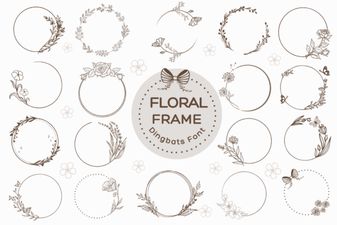 Beautiful Floral Fonts for Design Projects
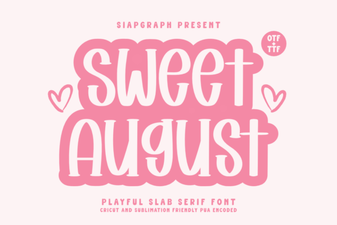 Sweet August Font for Inspiring Design Projects
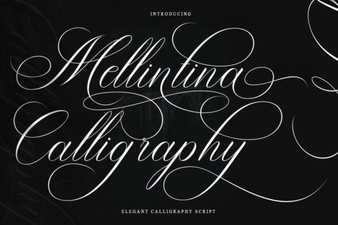 Melintina Calligraphy Font: Design Ideas & Uses