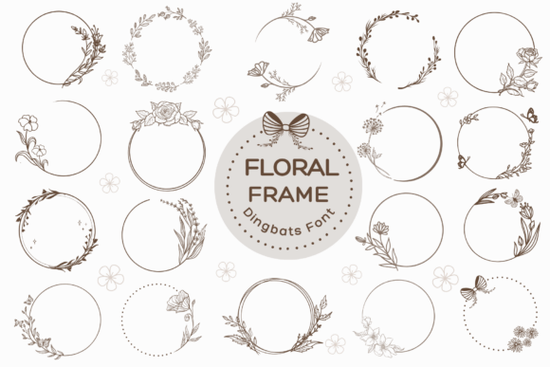
If you need a quick way to add hand-drawn borders to your projects without sketching them from scratch, Floral Frame Font works exactly like a standard typeface but outputs decorative wreaths and floral frames instead of letters. You simply type, and each keystroke generates a unique ornamental border that you can resize, recolor, or layer in your favorite design software. This makes it especially useful for designers, crafters, and small shop owners who want consistent, professional-looking frames without spending hours drawing them by hand.
How does a dingbat font like this actually work?
Dingbat fonts replace standard keyboard characters with symbols, illustrations, or complete decorative borders. When you install the font on your computer, it shows up in your font menu just like any other typeface. Open your design program, select it, and start typing. Each letter or number corresponds to a different hand-drawn frame. Because the output is vector-based, you can scale the shapes up for large posters or shrink them down for business cards without losing crisp edges.
Here is what makes this format practical for everyday workflows:
- Instant consistency: Every frame follows the same illustrated style, so your branding stays cohesive across multiple products.
- Easy recoloring: Change the font color in seconds to match seasonal palettes or client requests.
- Layering friendly: Place text, monograms, or small illustrations inside the frames by adding a second text box on top.
What can you actually make with decorative wreath fonts?
The real value of a frame-based typeface lies in how quickly it speeds up common design tasks. Print-on-demand sellers use these glyphs to build wedding invitation templates, anniversary cards, and custom monogram merchandise. Small businesses often place their initials or shop name inside a floral border to create a polished logo without hiring an illustrator. Crafters working with cutting machines can convert the typed frames into cut files for vinyl decals, wood signs, or heat-transfer projects.
If you are exploring similar decorative options, you might also browse our collection of hand-drawn border typefaces to see how different styles compare side by side. Testing a few variations helps you pick the right weight and detail level for your specific niche.
Is it beginner-friendly for everyday design software?
Yes. Since it installs as a standard font file, it works smoothly in Canva, Adobe Illustrator, Photoshop, Affinity Designer, Cricut Design Space, and Silhouette Studio. You do not need advanced typography skills to get good results. Just remember that dingbat fonts do not produce readable text, so you will want to pair them with a clean serif or sans-serif typeface for any actual words. Keep your supporting font simple so the ornamental frame remains the focal point.
For quick reference, you can view Floral Frame Font on the marketplace to check file formats, licensing details, and customer previews before adding it to your toolkit.
What should you double-check before using it in client work?
Commercial projects require a clear understanding of licensing and file preparation. Always verify whether the download includes a commercial license that covers your intended use, especially if you plan to sell physical products or digital templates. Some marketplaces separate personal and commercial rights, so a quick review saves you from unexpected restrictions later.
You should also test how the frames render at different sizes. Highly detailed floral borders can lose clarity when printed very small, so run a test print or export a low-resolution mockup first. If you are sending files to a professional printer, convert the text to outlines or paths before exporting. This step locks the shapes in place and prevents missing font errors on the printer’s end.
Quick setup checklist before you start designing:
- Install the font file and restart your design software so it appears in the menu.
- Type a few characters to map out which keys produce your favorite frames.
- Pair the decorative border with a simple, readable font for names or messages.
- Check the license terms for commercial sales, print-on-demand, or template redistribution.
- Export a test print or digital proof at actual size to verify line weight and clarity.
Once those steps are done, you can build invitations, logos, and craft files in a fraction of the time. Keep a short reference sheet of your most-used keystrokes nearby, and your workflow will stay smooth from the first draft to the final export.
Learn More Grave Shade Font: Styling Your Typographic Darkness
 Smooth Radiance Font: a Designer's Typography Toolkit
 Cactus Ridge Font Design Ideas & Projects
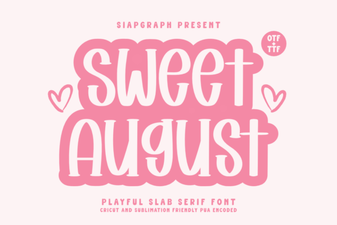 Sweet August Font for Inspiring Design Projects
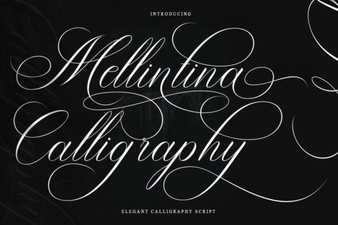 Melintina Calligraphy Font: Design Ideas & Uses
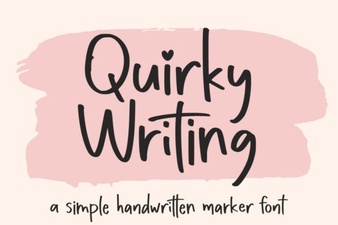 Unlock Creativity with Unique Handwriting Fonts