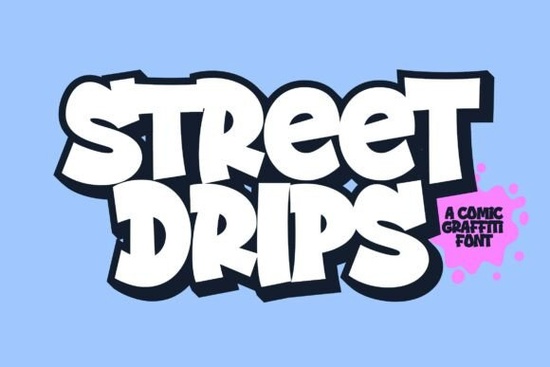
If you need a typeface that brings raw street energy to your designs without looking messy, Street Drips Font delivers exactly that. Built with a graffiti cartoon aesthetic, it gives you bold, playful letterforms that work well for logos, comic titles, product packaging, and promotional posters. The download includes both a regular weight and an extrude version, so you can layer them for quick depth effects or keep things flat and clean depending on your layout needs.
What makes this graffiti cartoon typeface stand out?
Most display fonts sacrifice readability for style. This one keeps letterforms clear while maintaining a hand-sprayed, urban feel. Every character follows a consistent cartoon graffiti structure, which means your headlines will look cohesive even when you mix uppercase and lowercase. You get a complete set of letters, numbers, and standard punctuation, so you will not run into missing glyphs when typing out pricing, dates, or short taglines. The extrude style is particularly useful because it saves you from manually adding shadows or offsets in your design software. Just type your text, switch to the extrude file, and layer it behind the regular version for instant dimension.
Which projects work best with a bold street-style font?
This typeface shines when you want to grab attention quickly. Print-on-demand sellers use it for streetwear graphics, skateboard deck art, and bold quote tees. Small business owners often pick it for event posters, food truck menus, or limited-edition product labels that need a youthful vibe. Comic creators and illustrators also rely on it for chapter titles, sound effects, and cover lettering. Because the shapes are thick and well-spaced, it holds up nicely on both digital screens and physical prints. If you are browsing other display options, you might also want to compare it with softer decorative typefaces when your brand needs a gentler touch, or look at retro athletic lettering for sports-themed merchandise.
How do the regular and extrude versions work together?
Layering fonts manually can eat up time, especially when you are batching designs for a shop update. The two-file system here simplifies that process. Start by typing your headline in the regular style. Duplicate the text layer, change the duplicate to the extrude version, and nudge it slightly down and to the right. Adjust the color contrast between the two layers, and you will have a clean, comic-book-style drop effect without wrestling with complex layer styles. This workflow works in Illustrator, Photoshop, Canva, and most cutting software used for vinyl and heat transfer projects. You can review the layout samples to see how the spacing behaves at different sizes before you commit to a final composition.
What should you check before downloading a display font?
Display typefaces are meant for headlines and short phrases, not long paragraphs. Before you add any bold lettering to your workflow, run through a quick compatibility check. Make sure the file format matches your software, usually OTF or TTF for desktop use. Test the kerning at your intended print size, because thick strokes can sometimes close up when scaled down. Verify the licensing terms for commercial use, especially if you plan to sell physical products or digital templates. If you want to explore more options from the same marketplace, you can search for Street Drips Font to compare licensing details and preview additional mockups.
Quick setup checklist for your next design
- Install both the regular and extrude files, then restart your design app to refresh the font menu.
- Type your headline in all caps first, then switch to mixed case to see which rhythm fits your layout better.
- Keep line spacing tight for posters, but add extra tracking if the text will be cut from vinyl or heat transfer material.
- Pair the graffiti style with a clean sans-serif for body copy so the main message stays readable.
- Export a test print at full scale to check stroke thickness and contrast before running a production batch.
Start with a simple two-color composition, test the layered extrude effect on a mockup, and adjust the tracking until the letters breathe. Once you lock in the spacing, save the text style as a preset so you can reuse it across future branding assets without rebuilding the effect from scratch.
Explore Design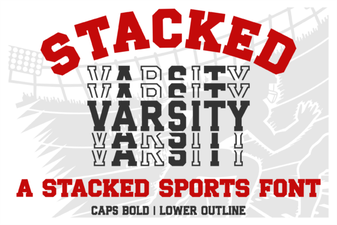 Stacked Varsity Font Ideas for Sports & Team Projects
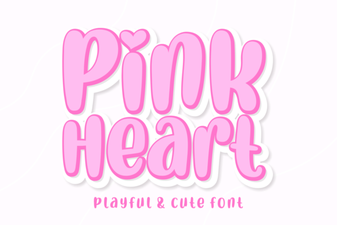 Pink Heart Fonts for Creative Design Projects
 Grave Shade Font: Styling Your Typographic Darkness
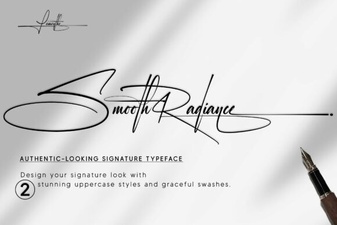 Smooth Radiance Font: a Designer's Typography Toolkit
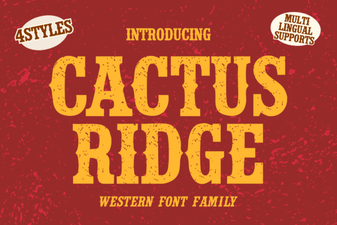 Cactus Ridge Font Design Ideas & Projects
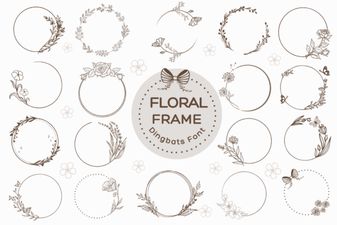 Beautiful Floral Fonts for Design Projects