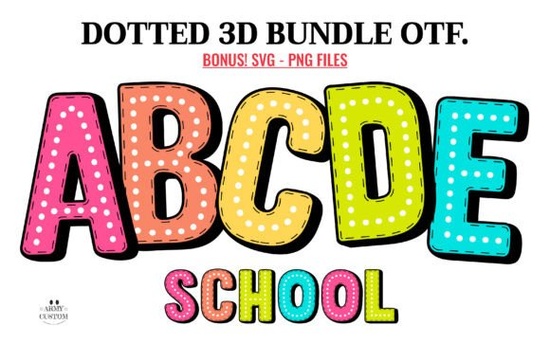
If you need a playful typeface that brings instant charm to kids’ products, party invitations, or lighthearted branding, Dotted 3d Rainbow Font delivers exactly that. This color font combines a soft dotted texture with layered rainbow gradients, making it a practical choice for designers, crafters, and print-on-demand sellers who want their text to stand out without adding extra design elements. Instead of manually layering shapes or adjusting gradients, you get a ready-made colorful typeface that types out exactly as you see it.
What makes this typeface different from standard display fonts?
Most decorative fonts require manual color adjustments, shadows, or texture overlays. This one skips that extra work. The letters come pre-styled with a three-dimensional dotted pattern and built-in rainbow coloring, so your headlines and product titles pop immediately. It works especially well for children’s book covers, birthday invitations, sticker sheets, t-shirt graphics, and playful small business branding. Because the style is already baked into the font files, you spend less time tweaking layers and more time finishing your project. If you enjoy working with bright, cheerful typography, you might also want to browse other playful rainbow typefaces that pair well with this style.
Which design programs actually support the color version?
Color fonts behave differently than standard black-and-white typefaces, and software compatibility matters. The full-color version only works properly in programs that support OpenType-SVG or COLR color font technology. You will get reliable results in Adobe Photoshop, Adobe Illustrator, Silhouette Studio Designer Edition, and Inkscape. If you try to install the OTF or TTF color files into software that lacks color font support, the letters will appear black, show up as flat outlines, or fail to render. Always verify your program’s capabilities before starting a large batch of designs. For a closer look at how this typeface performs across different platforms, you can explore Dotted 3d Rainbow Font and review the official usage notes.
Can I use it with Cricut or other cutting machines?
Yes, but only if you select the correct file. The black version is fully compatible with Cricut Design Space, Silhouette basic edition, Brother ScanNCut, and most standard cutting software. You can weld, slice, and cut the black font just like any regular display typeface. The color OTF and TTF files will not work inside Cricut Design Space. Always export colored layouts as PNG or SVG before sending them to cutting software. This two-step workflow is standard for crafters who want vibrant layered vinyl or heat transfer designs, and planning your file exports ahead of time prevents wasted material.
How do I get the best results for print-on-demand and craft projects?
When preparing files for POD platforms or physical crafts, a few simple adjustments prevent common printing issues. First, test your text at the actual print size. Highly detailed dotted textures can lose clarity if scaled too small, so keep headlines above 24pt for digital prints and above two inches for physical products. Second, use high-contrast backgrounds. Since the letters already contain multiple rainbow shades, placing them on white, cream, or soft pastel backgrounds keeps the design readable. For small business owners building cohesive branding, this typeface works best as an accent font. Pair it with a clean sans-serif for body text or product descriptions. If you are building a collection of cheerful display typefaces, you can also compare it with similar options like the dotted rainbow style collection to find the right spacing for your niche.
Quick setup checklist before you start designing
- Install both the color and black font files, but only activate the one your software supports
- Verify that your design program handles OpenType color fonts before typing your headline
- Export colored layouts as PNG or SVG if you plan to cut them on a Cricut or plotter
- Keep text large enough so the dotted texture stays crisp after printing
- Test a single proof print or digital mockup before running a full batch
Start with a simple quote or product title, check your file compatibility, and adjust the background contrast until the rainbow dots read clearly. Once your test layout looks sharp, you can scale the design across stickers, apparel, or digital downloads with confidence.
Get Started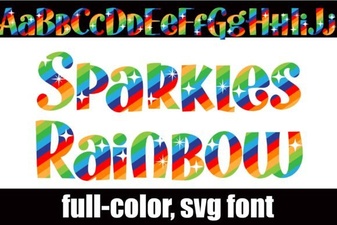 Sparkle Rainbow Fonts for Creative Web Design
 Grave Shade Font: Styling Your Typographic Darkness
 Smooth Radiance Font: a Designer's Typography Toolkit
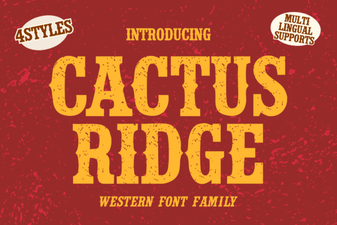 Cactus Ridge Font Design Ideas & Projects
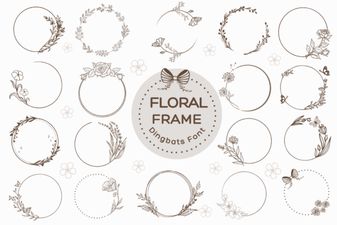 Beautiful Floral Fonts for Design Projects
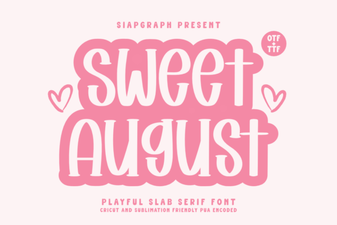 Sweet August Font for Inspiring Design Projects